
.png)
The Solana dApp Store now hosts over 900 apps. Your users have been rating and reviewing your dApp since the day you launched. Thousands of reviews are flowing in every week across the ecosystem. Until today, that feedback existed in a place publishers couldn’t reach from their own tools.
Now you can actually see what they’re saying — and respond to your user base.
Ratings & Reviews is live in the Solana dApp Store publishing portal. Every rating, every review, an AI-powered weekly digest, and the ability to reply directly, all from the publishing portal. This is the most-requested feature from dApp Store publishings, and it’s available today at https://publish.solanamobile.com/
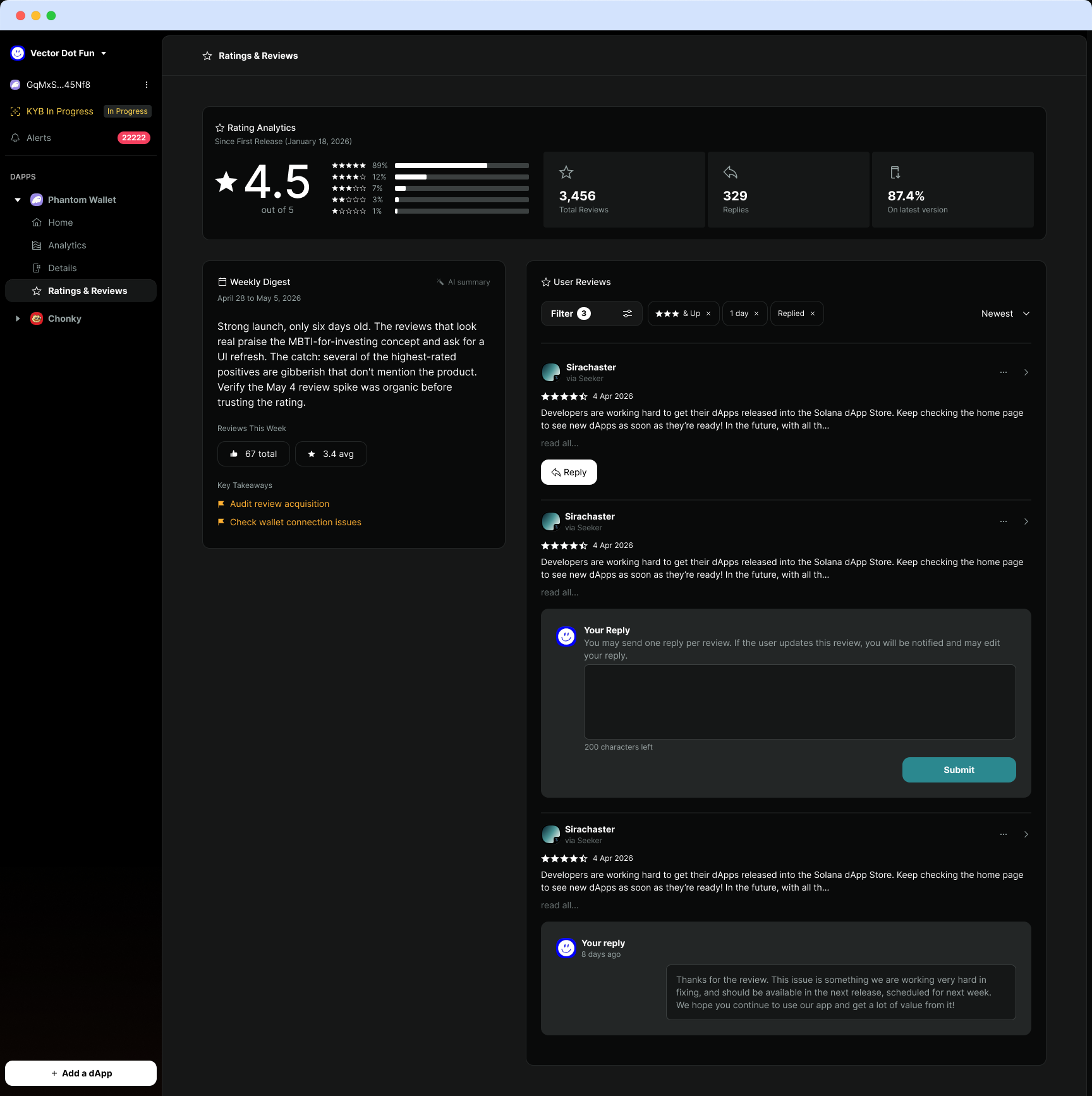
What’s New in the Updated Publishing Portal
Review Analytics
The publishing portal now gives a full picture of how your app is performing since its first release. Star distribution, total review count, and reply rate — all visible at a glance, plus review quality filters.
The data and filters are there to help you get more signal and less noise. If your 1-star reviews are climbing after a specific release, you’ll see it immediately. If 87% of your users are on the latest version but your rating is dropping, that tells you the update broke something.
AI Weekly Digest
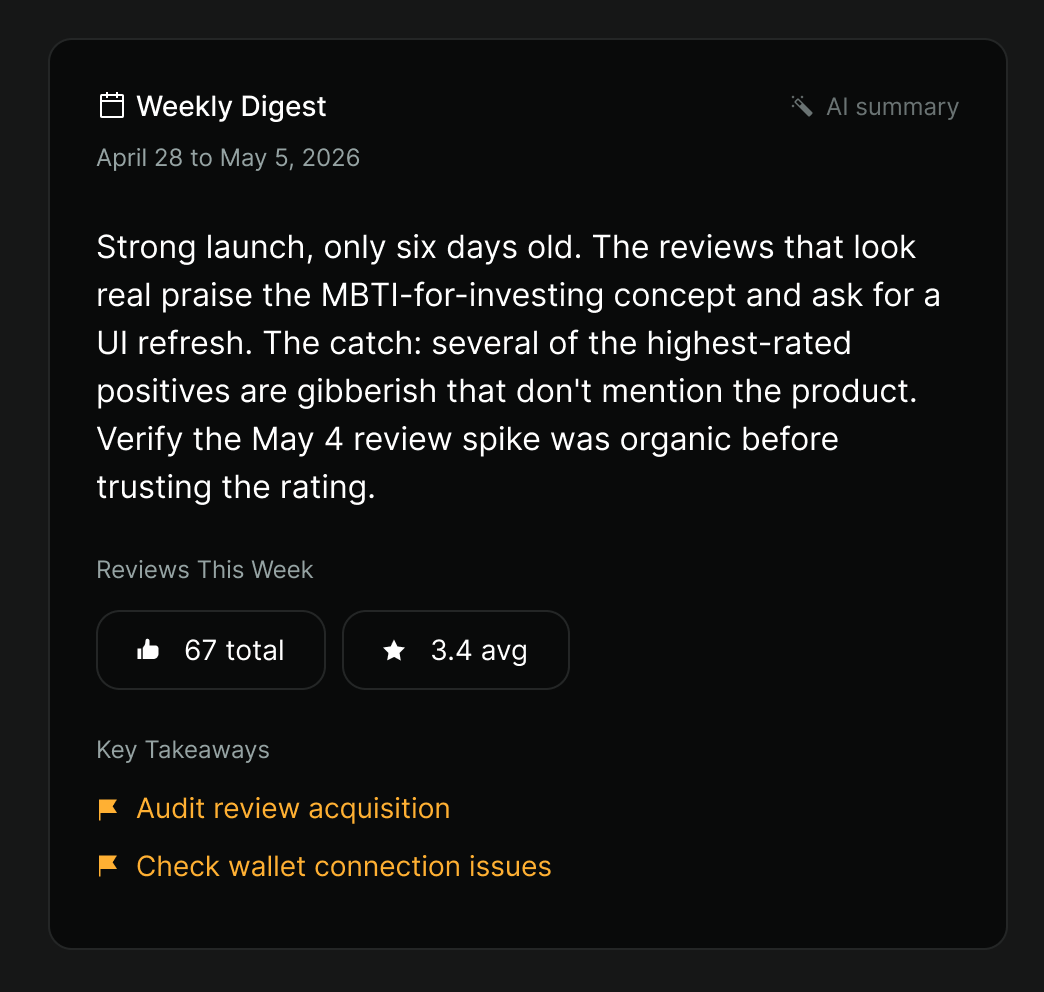
Every week, the publishing portal generates an AI-powered summary of your recent reviews. LLMs read every review from the past seven days and tell you three things: what users love, what’s broken, and what they’re asking you to build next.
The digest identifies patterns across reviews that you might not catch reading them one by one. If twelve users in the same week mention wallet connection issues — phrased twelve different ways — the digest catches that and surfaces it as a single, actionable takeaway. If a cluster of 5-star reviews all mention the same feature, you know what’s working and can double down.
It also flags review quality. Not every 5-star review is organic, and not every 1-star review is legitimate. The digest notes when high-rated reviews look like gibberish or don’t reference your product, so you can separate real user feedback from spam before making product update decisions.
Key takeaways from the digest are listed at the bottom of each summary with priority flags, so you can scan them in thirty seconds and know where to focus your next sprint.
Reply to Reviews
You can now respond to any review directly from the publishing portal. One reply per review. When you respond, the user gets notified — which means your reply can directly engage with your user base and let them know when fixes arrive.
This matters more than it sounds. A user who leaves a 3-star review about a bug and gets a direct response saying it’s fixed in the next release is a user who updates their review. A user who feels heard is a user who stays.
Replies are public, so other users browsing your app’s reviews will see that there’s an active team behind the product. For developers and founders building trust with a new audience, that signal compounds.
Start Now
If you have an app on the Solana dApp Store, your reviews are already loaded and waiting. Log in to the publishing portal, navigate to Ratings & Reviews, and see what your users have been telling you.
New to building on Solana Mobile? Start with the developer documentation at docs.solanamobile.com or apply for Solana Mobile Builder Grants at solanamobile.com/grants to get funded, get users, and get your app in front of 100,000+ active Seeker device owners.
Happy Shipping 🫡